
 viaxen
Vehicle logbook for Android and iOS
A maintenance log for every vehicle you own
Log fuel, service, repairs, parts, tires, expenses and documents for your cars, motorcycles, boats and heavy equipment, and set reminders for what’s due next. There’s no account and no cloud sync. Everything is saved on your phone.
No account · No cloud · Every feature free · Remove ads once
Vehicles
Pick from 22 vehicle types or name your own
Cars
- Sedan
- SUV
- Pickup
- Van
- Hatchback
- Truck
- Bus
Odometer in km or miles, fuel efficiency and service intervals. Mark a car as electric and it logs charging instead of fuel.
Motorcycles
- Scooter
- Standard
- Sport
- Cruiser
- Off-Road
Log oil changes, chain or belt work and tires between rides.
Boats / Marine
- Motorboat
- Sailboat
- Fishing Boat
- Yacht
- Jet Ski
Tracked in engine hours instead of distance, and reminders use hours too.
Heavy Equipment
- Excavator
- Loader
- Bulldozer
- Crane
- Forklift
Hour-based service intervals and inspection records for each machine.
Others
- Your own type
Type in your own category. It uses a distance meter and the same 12 log types.
How it works
The same five tabs as the app
01 / Garage
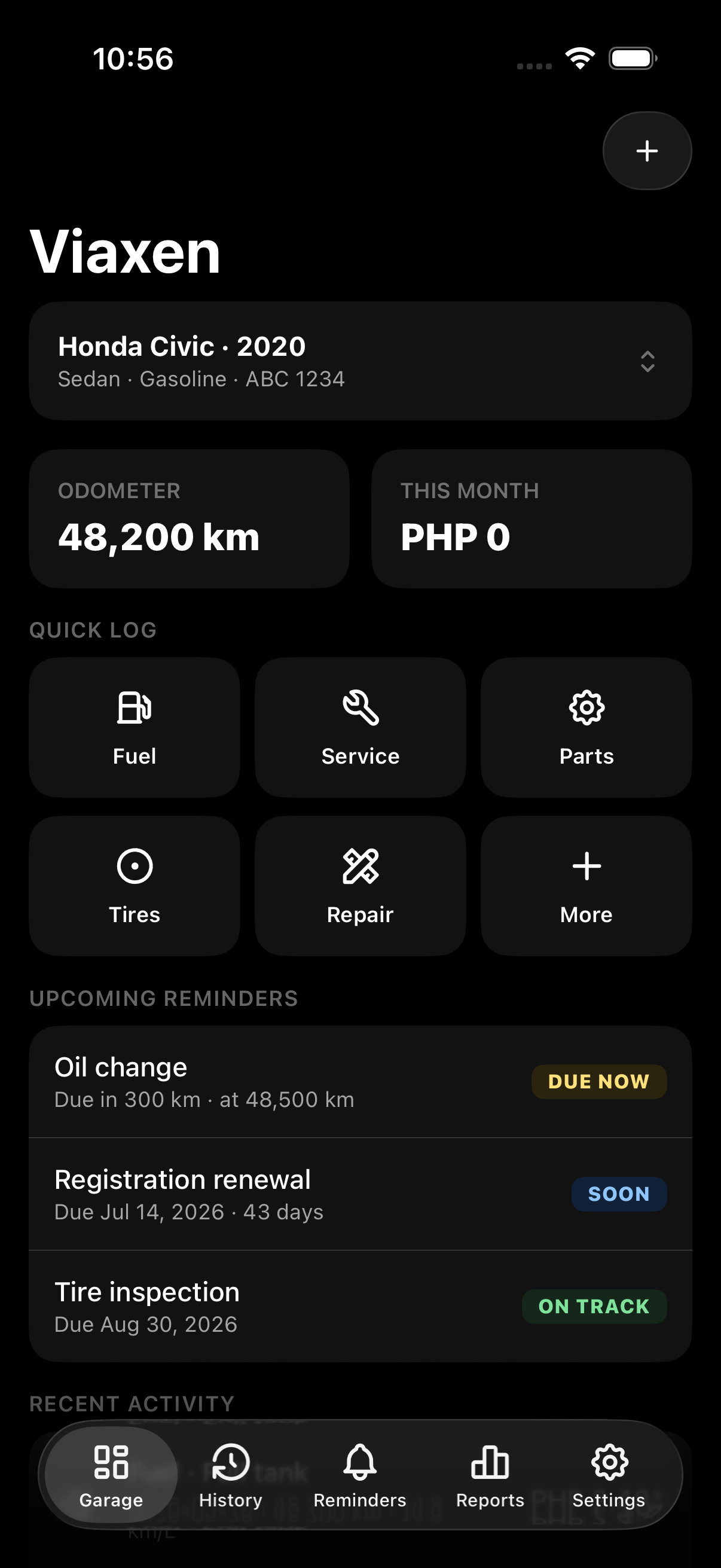
Your vehicle and its latest numbers
The Garage shows a top-view drawing of the vehicle next to its odometer, this month’s spending and fuel efficiency. Below that, a grid of log types opens the right form, and each form only asks for the fields that apply to it. Use the switcher to move between vehicles.
- 12 log types: Fuel (or Charge for an electric vehicle), Service, Parts, Tires, Repair, Expense, Document, Inspection, Incident, Trip, Battery and Custom
- Add a receipt photo and notes to any entry
- Garage, History, Reminders and Reports all follow the vehicle you have selected
02 / History
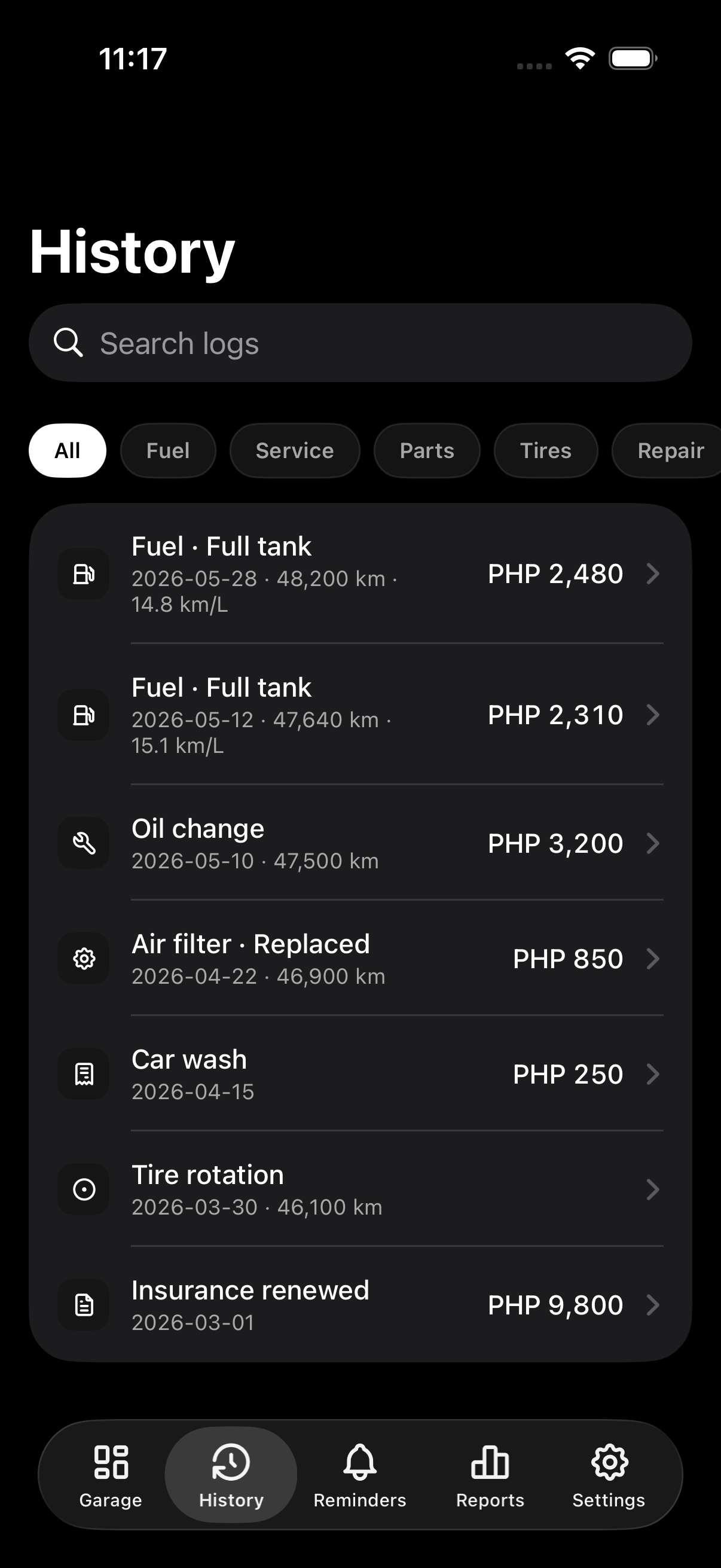
Everything you’ve logged, newest first
History lists every fuel-up, service, repair, part, tire job, expense and document for the selected vehicle, newest first. Tap an entry to see the full form as you filled it in, with its receipt photo and notes.
- Grouped by date, newest first
- Tap a row to open, edit or delete the entry
- The whole history is kept, back to your first entry
03 / Reminders
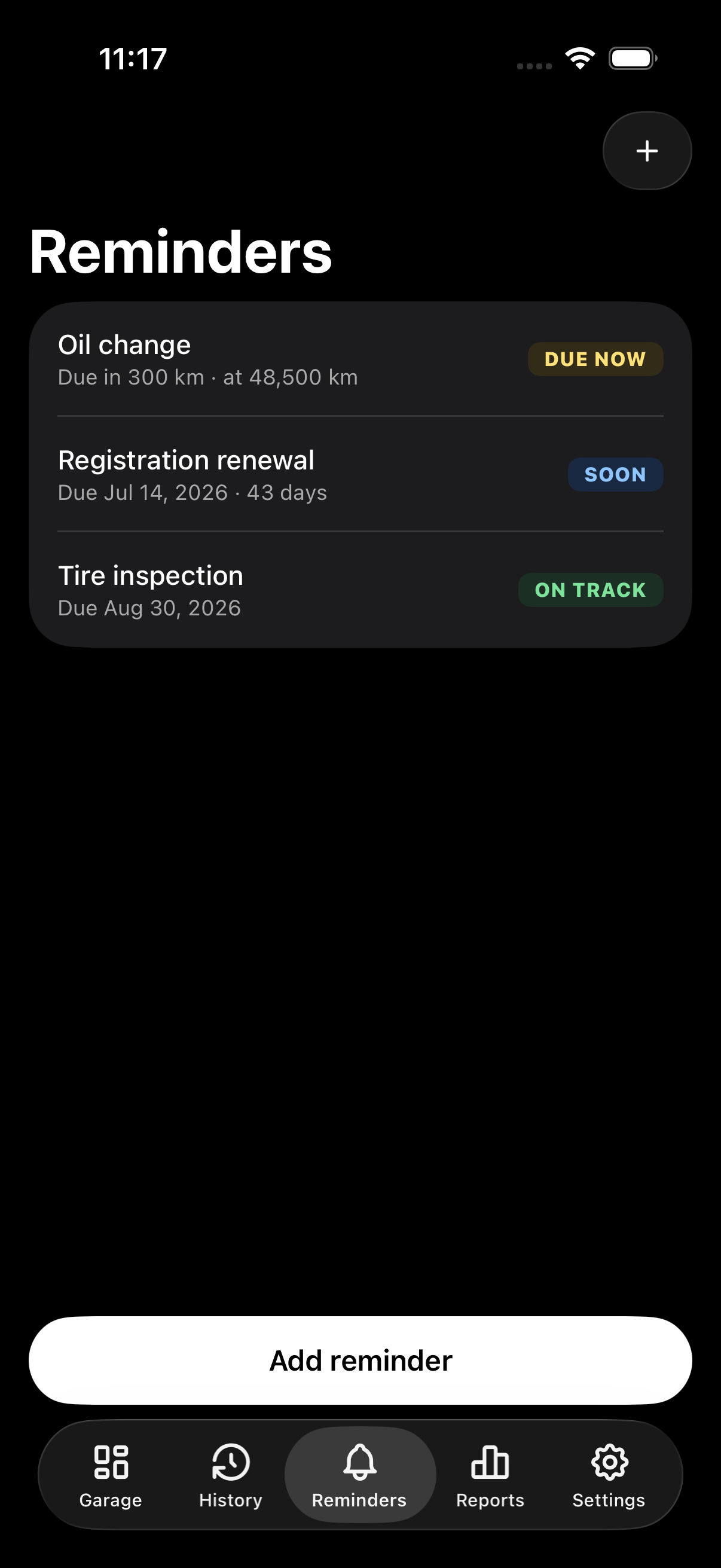
Reminders by date, distance or engine hours
Set a reminder for a date and time, a mileage or engine-hours reading, or both. Viaxen Log checks reminders against the readings you log and sends a notification on your phone when one is due. Overdue reminders are listed first.
- Date: goes off on the day and time you pick, for things like registration or insurance renewal
- Mileage or hours: goes off when a reading you log passes the target
- Hybrid: goes off on the date or at the distance, whichever comes first
- Each reminder shows its status in words, because the app is all grayscale
04 / Reports
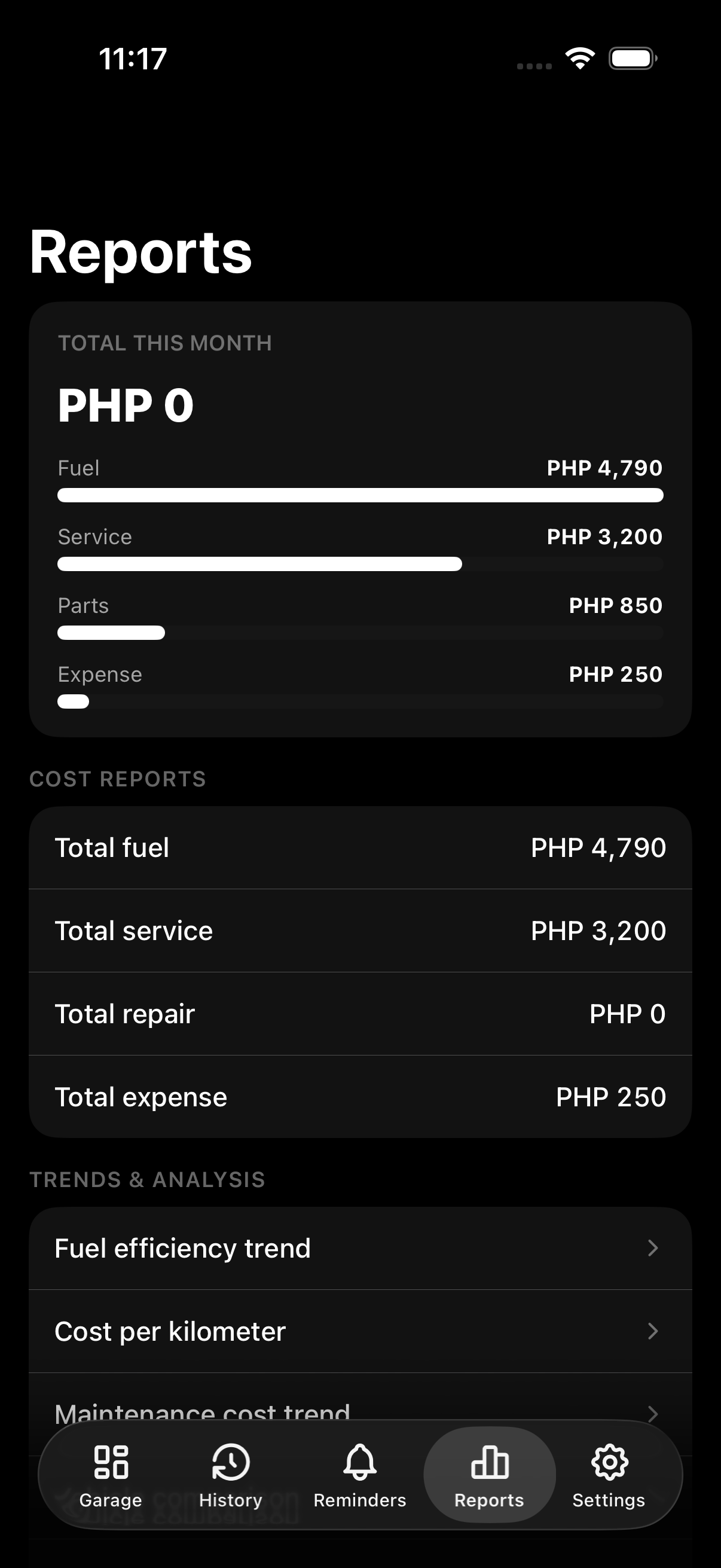
Fuel economy and cost per kilometer
When you log a fuel-up, Viaxen works out the distance since your last fill, fuel efficiency in km/L and cost per km. Reports adds up your spending by month and by category, so you can tell if a vehicle is costing more to run than it used to.
- Distance, km/L and cost per km come from your odometer readings
- Totals by month and by category (fuel, service, parts, expenses)
- Each vehicle has its own report, so figures from different vehicles don’t get mixed
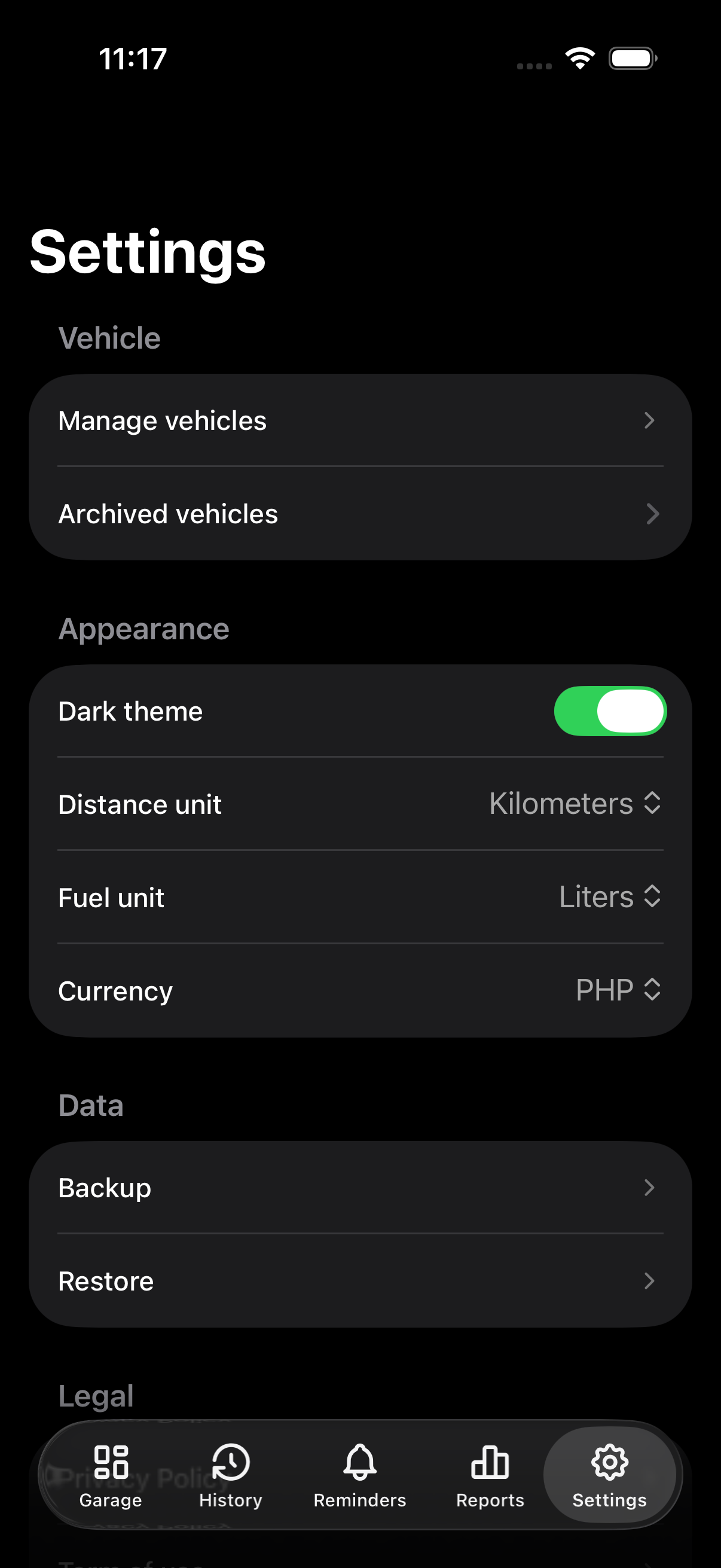
05 / Settings
Everything stays on your phone
There’s no account and no cloud sync. Your logbook is stored only on your device, so we can’t see it or recover it for you. The one-time Remove ads purchase in Settings also lets the app work offline, because the ad at launch is the only thing that needs a connection.
- Dark and light themes
- Back up your whole logbook to a JSON file and restore it later
- Remove ads is a one-time purchase you can restore on any device signed in to the same store account
Pricing
Free to use, with a one-time purchase to remove ads
All features are free with no limits, and nothing sits behind a paywall. The one-time purchase removes ads and lets the app work offline.
| Feature | Free | Remove ads |
|---|---|---|
| Unlimited vehicles, logs & all 12 types | Included | Included |
| Reminders, fuel auto-calc & reports | Included | Included |
| Backup, restore & export | Included | Included |
| Ad when the app opens | Shown | None |
| Works offline | No | Included |
One-time purchase · No subscription · Restore it from Settings
FAQ
Common questions
Do I need an account or internet?
You never need an account, and nothing is stored in the cloud. The free version needs internet to load the ad shown when the app opens. If you buy Remove ads, the app works fully offline.
What's the difference between free and paid?
Only the ads. Unlimited vehicles, all 12 log types, reminders, reports, backup and export are free either way. Removing ads also lets you use the app offline.
Is removing ads a subscription?
No. You pay once and keep it. To get it back on another device signed in to the same Google Play or Apple account, open Settings and tap Restore purchases.
Can I track boats and heavy equipment?
Yes. Each vehicle uses either an odometer (km or miles) or engine hours. Boats and heavy equipment use hours, so their reminders are hour-based too.
How do reminders work?
Set a reminder by date, mileage, engine hours, or a hybrid. Date and hybrid reminders are scheduled as notifications on your phone. Mileage and hours reminders go off when a reading you log passes the target.
Can I move my data to a new phone?
Yes, on the same platform. Export a backup on your old Android (or iOS) phone, then restore it on the new one. Moving between Android and iOS isn't supported yet, and photos attached to vehicles or logs aren't included in the backup file.
Download Viaxen
For Android and iOS. Free, with an optional one-time purchase to remove ads.